One of the most common mistakes corporate event planners make is either under-specifying AV — and dealing with a technical failure at the worst possible moment — or over-specifying it and blowing 40% of the event budget on equipment that’s barely used. Getting this calibration right is both an art and a science, and it starts with understanding what your event actually demands of its production infrastructure.
This guide gives you a practical, no-nonsense framework for determining the right AV scope for any corporate event — from 50-person offsites to multi-day conferences with thousands of attendees. We’ll cover what’s non-negotiable, what’s nice-to-have, and where the line between the two lies.

AV Requirements by Event Type and Size
| Event Type | Attendees | Minimum AV Package | Typical Budget |
|---|---|---|---|
| Board Meeting / Boardroom | 10–30 | Large display, conferencing system, wireless mic | $2,000–$6,000 |
| Executive Offsite / Retreat | 30–80 | Projection screen, basic PA, 2–4 wireless mics | $6,000–$18,000 |
| Town Hall / All-Hands | 100–300 | Dual screens, line array, 4–6 mics, confidence monitors | $15,000–$40,000 |
| Sales Conference / Annual Meeting | 300–800 | LED wall or large projection, full PA, lighting, IMAG | $40,000–$120,000 |
| Multi-Day Industry Conference | 500–2,000 | Full main stage + breakout rooms + expo AV + streaming | $100,000–$500,000+ |
What Factors Determine How Much AV You Need
Event size is only one variable. These factors are equally important in determining your true AV requirements.
Presentation Content Complexity
An event with 10 speakers, 3 pre-produced videos, animated title sequences, and live poll integration has dramatically higher AV needs than one where a single presenter runs through a PowerPoint. Count your content elements and map them to operator roles — each complex element typically requires a dedicated technician.
Microphone Count
More than just counting speakers. Panel discussions require individual mics for 4–5 people simultaneously. Q&A sessions require roving handhelds in the audience. Opening receptions with ambient audio need distributed speaker systems. Each scenario adds to your wireless channel count and mixing requirements.
Room Size and Acoustic Properties
Ballrooms with hard surfaces and high ceilings are acoustically challenging — they require more speaker coverage points, higher-powered systems, and often acoustic treatment panels to reduce reverb. A 300-person room with poor acoustics may need more AV investment than a 500-person room designed for performances.
Branding and Visual Requirements
Events where brand expression matters — product launches, awards shows, annual galas — require more investment in lighting, display quality, and content production. A well-lit, color-accurate stage with custom branded motion graphics costs more than a standard white screen setup, but it communicates very differently to your audience.
Number of Concurrent Spaces
Each breakout room needs its own AV system, even if it’s simple. Four concurrent breakout rooms means four independent setups, four displays, four audio systems, and ideally a technician for each. See our breakout room AV guide for detailed requirements by room size.
Hybrid or Livestream Components
Adding a virtual audience layer increases scope significantly. Multi-camera capture, streaming infrastructure, dedicated internet, and virtual platform licensing all add to your AV footprint. See our hybrid event guide for full scope details.

AV Scope Breakdown: What Each Layer Costs
| AV Layer | What It Includes | Typical Cost Range |
|---|---|---|
| Basic Audio | Small line array or column speakers, 2–4 wireless mics, basic mixer | $2,500–$8,000 |
| Full Audio System | Line array, subwoofers, stage monitors, 6+ wireless channels, digital console, engineer | $8,000–$30,000 |
| Display (Projection) | 1–2 screens, 10,000–20,000 lumen projectors, screen hardware | $3,000–$12,000 |
| Display (LED Wall) | LED tiles, controller, cabling, rigging hardware, LED tech | $8,000–$40,000+ |
| Lighting | Stage wash, front fill, moving heads, uplighting, console, LD | $4,000–$25,000 |
| Hybrid/Streaming | Multi-camera, encoder, dedicated internet, platform, virtual producer | $5,000–$30,000 |
Real-World AV Scenarios: Right-Sizing for the Event
Quarterly Leadership Meeting (45 Attendees, Hotel Meeting Room)
A single 10-foot projection screen, a small column PA, and two wireless handhelds covers this format well. No lighting beyond house lights needed. One AV technician handles setup and operation. Total budget: $4,000–$8,000 including labor and delivery.
Company All-Hands (200 Attendees, Hotel Ballroom)
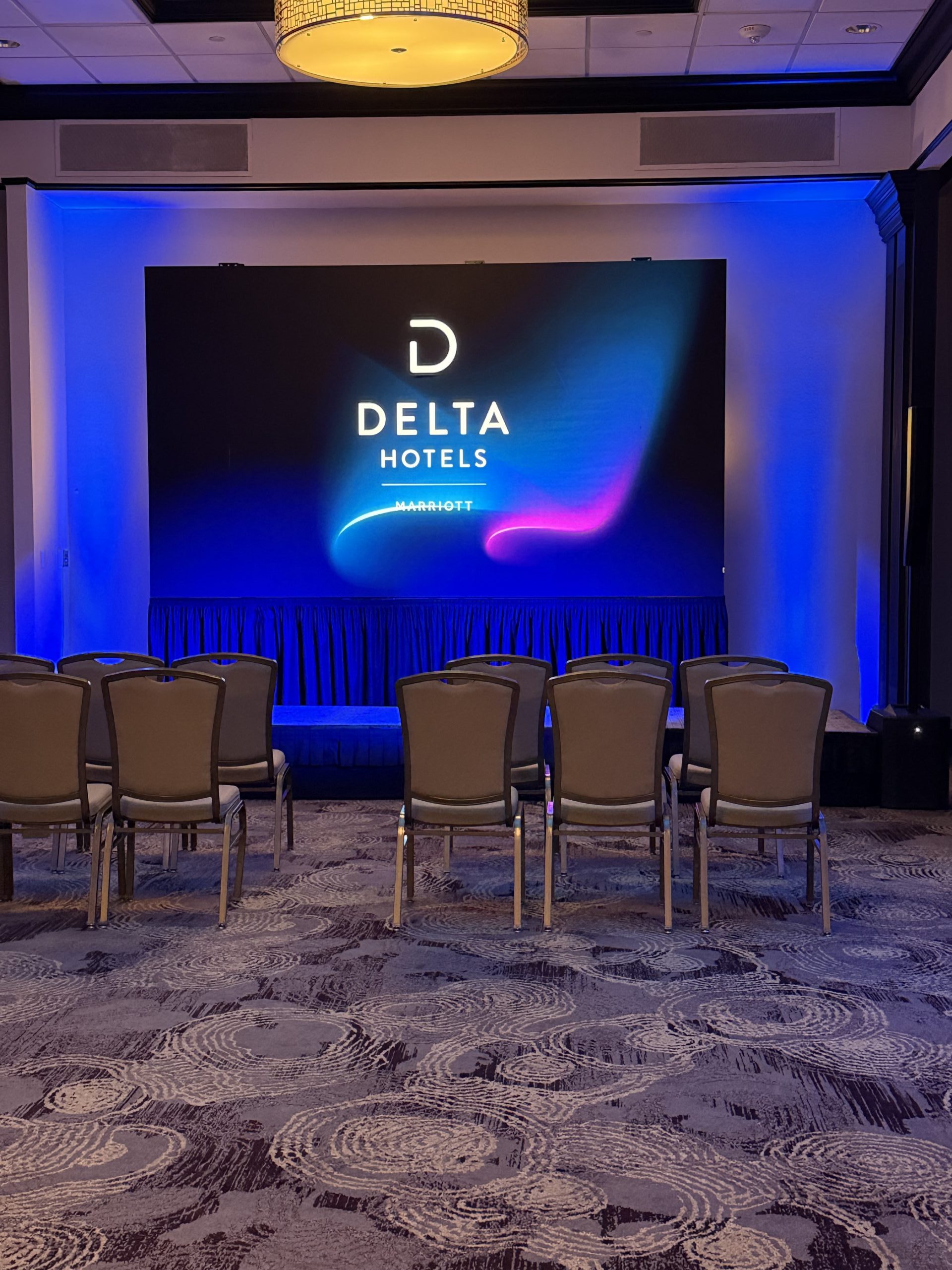
Dual 12-foot screens, line array audio system, 4–6 wireless mics (for a panel and roving Q&A), confidence monitors for the presenter, and stage lighting. Crew of 3–4. If livestreaming to remote employees, add camera and streaming setup. Total budget: $20,000–$45,000.
National Sales Kickoff (700 Attendees, Convention Ballroom)
LED video wall (14×8 minimum), full line array, 8+ wireless channels, theatrical lighting with moving heads, IMAG cameras and switcher, show laptop operator, technical director. Crew of 8–12. Budget: $65,000–$130,000+.
Multi-Track Conference (1,200 Attendees, Convention Center)
Main stage full production plus 8 breakout rooms, expo hall PA, registration area displays, and hybrid streaming for all tracks. Crew of 20–30+. This is full-scale production requiring a dedicated production manager from day one. Budget: $200,000–$500,000+.
How to Right-Size Your AV Without Over- or Under-Spending
Start by defining your non-negotiables: which elements of your event would be outright failures if they didn’t work? Those items get your top budget priority. A clear keynote presentation is non-negotiable. Fancy uplighting is not. Rank your AV elements by impact and fund them accordingly.
Get three quotes with identical scopes. Apples-to-apples comparison only happens when all vendors are bidding on the same equipment list and crew requirements. A quote that looks 30% cheaper may be excluding key items. Ask each vendor to walk through their quote line-by-line so you understand exactly what’s included and what isn’t.
Include contingency in your AV budget. Equipment failures happen. A 10–15% contingency over your base quote protects you from last-minute add-ons or replacements that otherwise become stressful, expensive emergencies on show day.
Ways to Get More AV Impact Without Increasing Budget
- Invest in lighting over display upgrades: A well-lit stage with a standard projection screen often looks better than an LED wall in a poorly lit, flat environment. Lighting dollar-for-dollar typically delivers more visual impact.
- Simplify your run-of-show: Fewer elements requiring dedicated operators equals lower crew costs and fewer failure points.
- Use the venue’s existing infrastructure where it’s adequate: House PA systems in some venues are genuinely good. Supplement rather than replace when possible.
- Standardize breakout room AV: Identical setups across all breakout rooms reduce setup time, troubleshooting time, and equipment needs.
- Pre-produce video content in advance: On-site video playback is far cheaper than live switching and graphics when the same effect can be achieved with a pre-rendered file.
- Build multi-event relationships with your AV provider: Annual contracts typically deliver 10–20% savings over per-event pricing.
Frequently Asked Questions
What’s the minimum AV investment I should make for a 200-person corporate event?
Budget a minimum of $15,000–$20,000 for a professionally produced 200-person general session. This covers adequate audio, a display system, basic lighting, and a 2-person crew. Going below this threshold risks noticeable quality issues that reflect poorly on the event.
Do I need an AV technician or can I run it myself?
For events over 50 people with any video content, you need a dedicated AV technician. “Self-operate” setups fail at the worst possible moments and split your attention away from running the actual event. The crew cost is almost always worth it.
How do I know if I need IMAG cameras?
If any attendee seated in the back of the room cannot comfortably see the presenter’s face from their seat, you need IMAG. This threshold typically hits around 150–200 attendees in a standard ballroom layout.
What’s a show laptop and why do I need one?
A show laptop is the dedicated machine that your AV team controls for slide playback, video cues, and content switching. It’s separate from the presenter’s machine and managed by the AV operator so the speaker can focus on presenting, not clicking. Essential for any multi-element event.
Is venue-provided AV usually sufficient?
Hotel AV packages typically include basic equipment at a premium price with limited flexibility and crews trained on standard setups, not high-production events. For important events, a third-party production company almost always delivers a better result. See our guide on choosing the right AV production company.
How do I handle AV for outdoor corporate events?
Outdoor AV requires weatherproofed equipment, significantly higher audio power (no walls to contain sound), outdoor-rated LED or high-lumen projection, and extensive power distribution planning. Budget 30–50% more than an equivalent indoor event.
Can I use consumer-grade equipment to reduce costs?
Consumer audio and display equipment is designed for home use, not conference-scale performance. It lacks the output power, reliability, and flexibility of professional production gear. For any event where failure would be embarrassing, professional equipment is non-negotiable.
Related AV Services
- Corporate Event Production Cost Guide
- The Complete Corporate Event AV Planning Guide
- Breakout Room AV Setup for Corporate Conferences
- LED Video Walls vs Projection — Complete Comparison
- Corporate Event Production Timeline
Not Sure What AV Your Event Needs?
CitiView AV’s team will review your event format, room, and goals — then recommend exactly what’s required, nothing more and nothing less. We’ve right-sized AV for hundreds of corporate events across the Northeast.